Cloudbeds

How to connect Cloudbeds to bellboy

You can connect your Cloudbeds account to Bellboy in two ways:

  1. Through the Cloudbeds Marketplace
  2. Through the Bellboy App
Through the Cloudbeds Marketplace
1. Log into your Cloudbeds account. Open the Marketplace tab from the main menu. Use the search bar to find Bellboy.
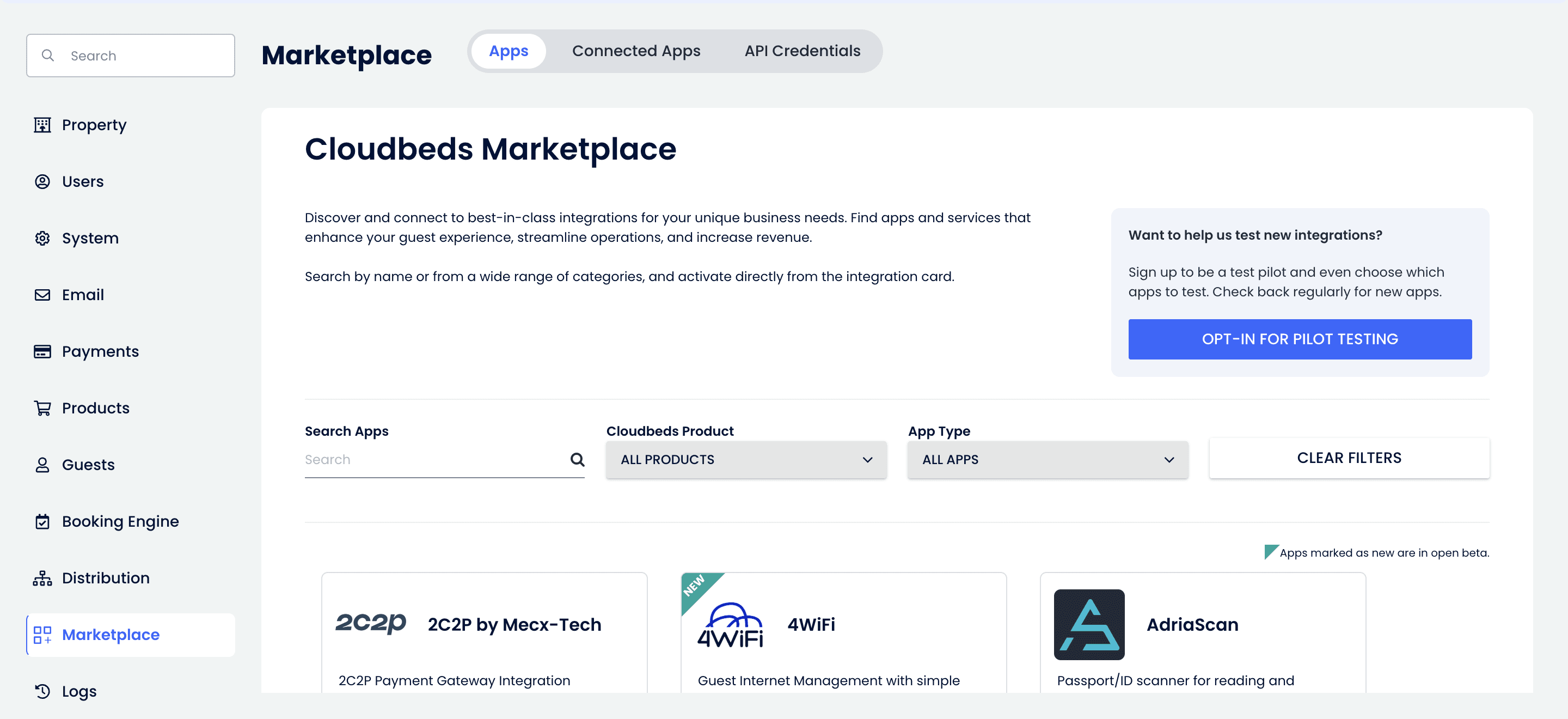
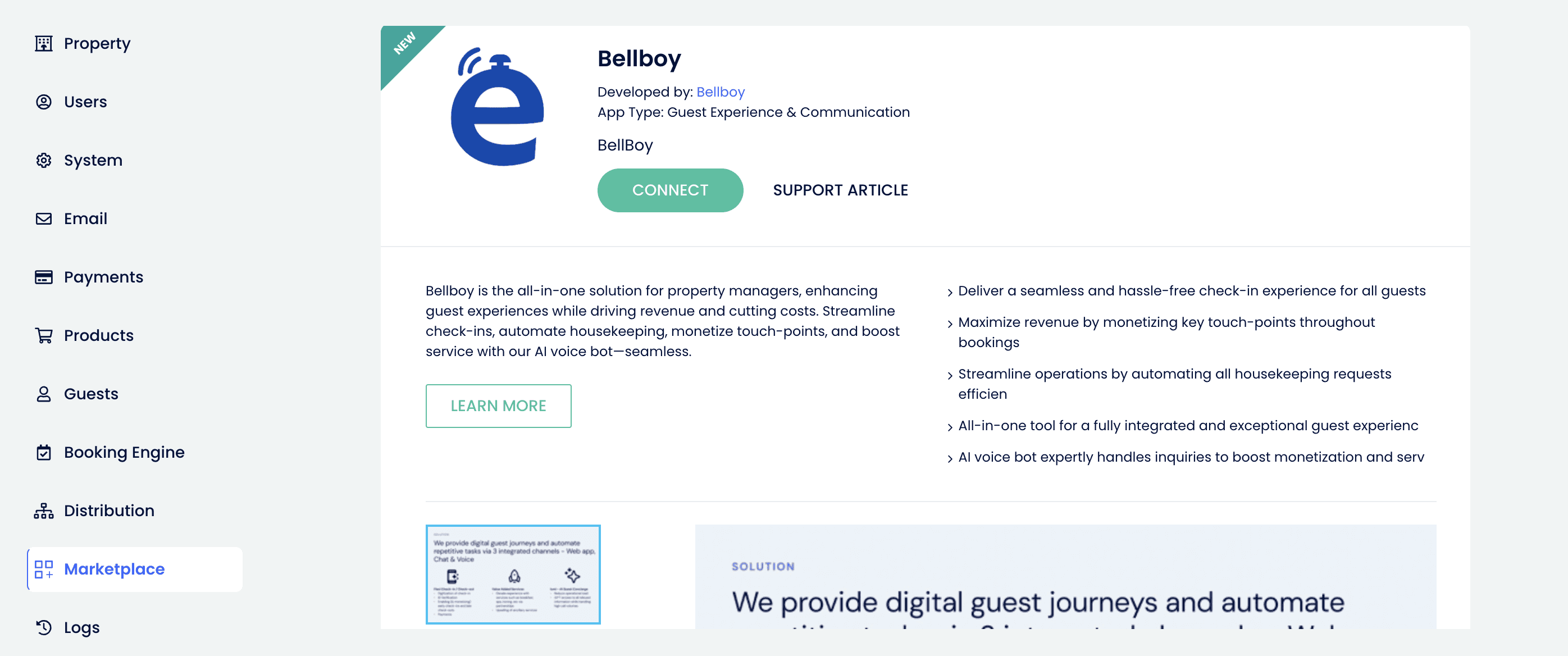
2. Select Bellboy and click the Connect button.Your property and booking data will sync automatically with Bellboy.
Through the Bellboy App
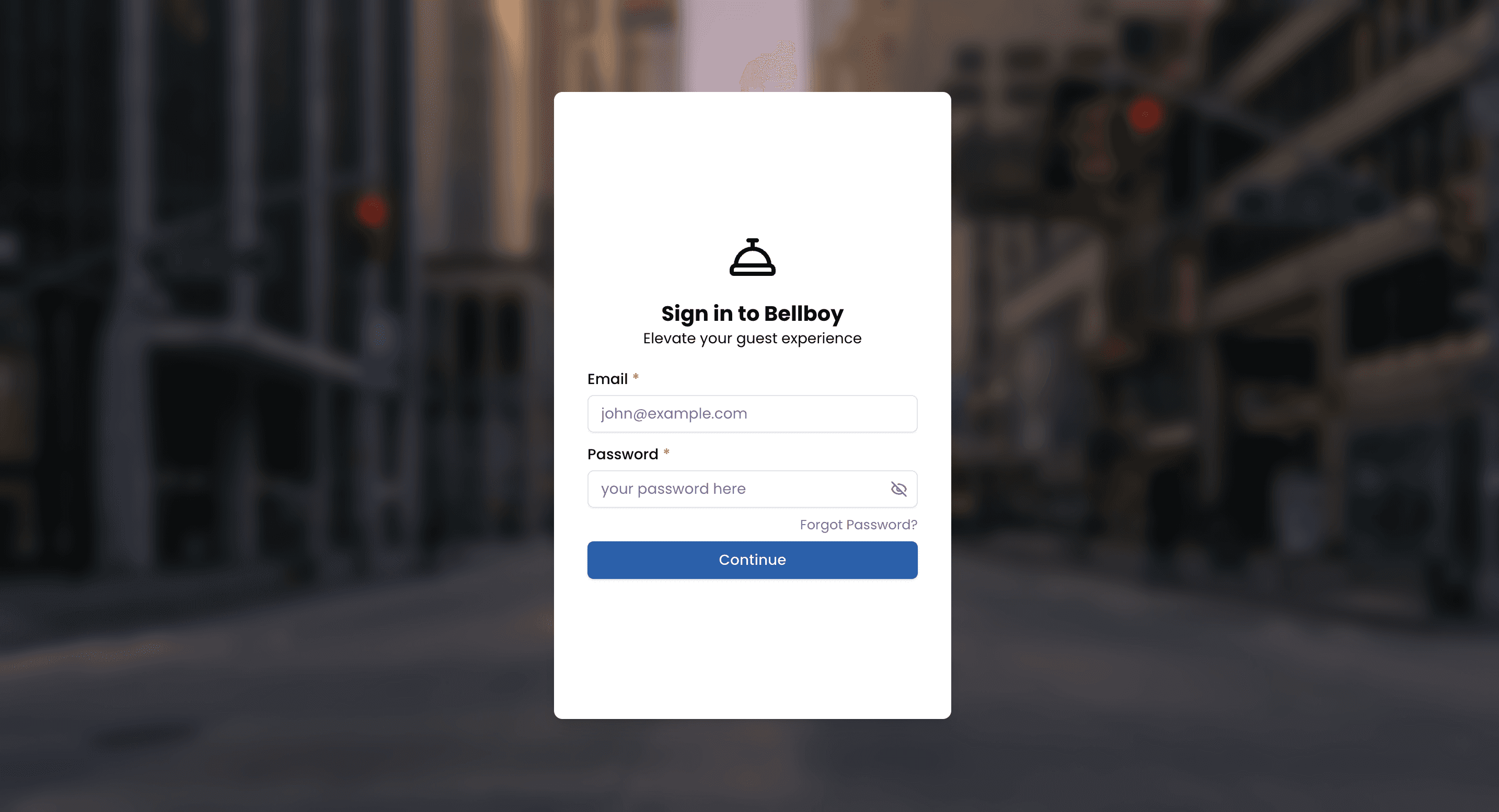
1. Log into the bellboy partner portal
2. Click on the integrations page (if not already open)
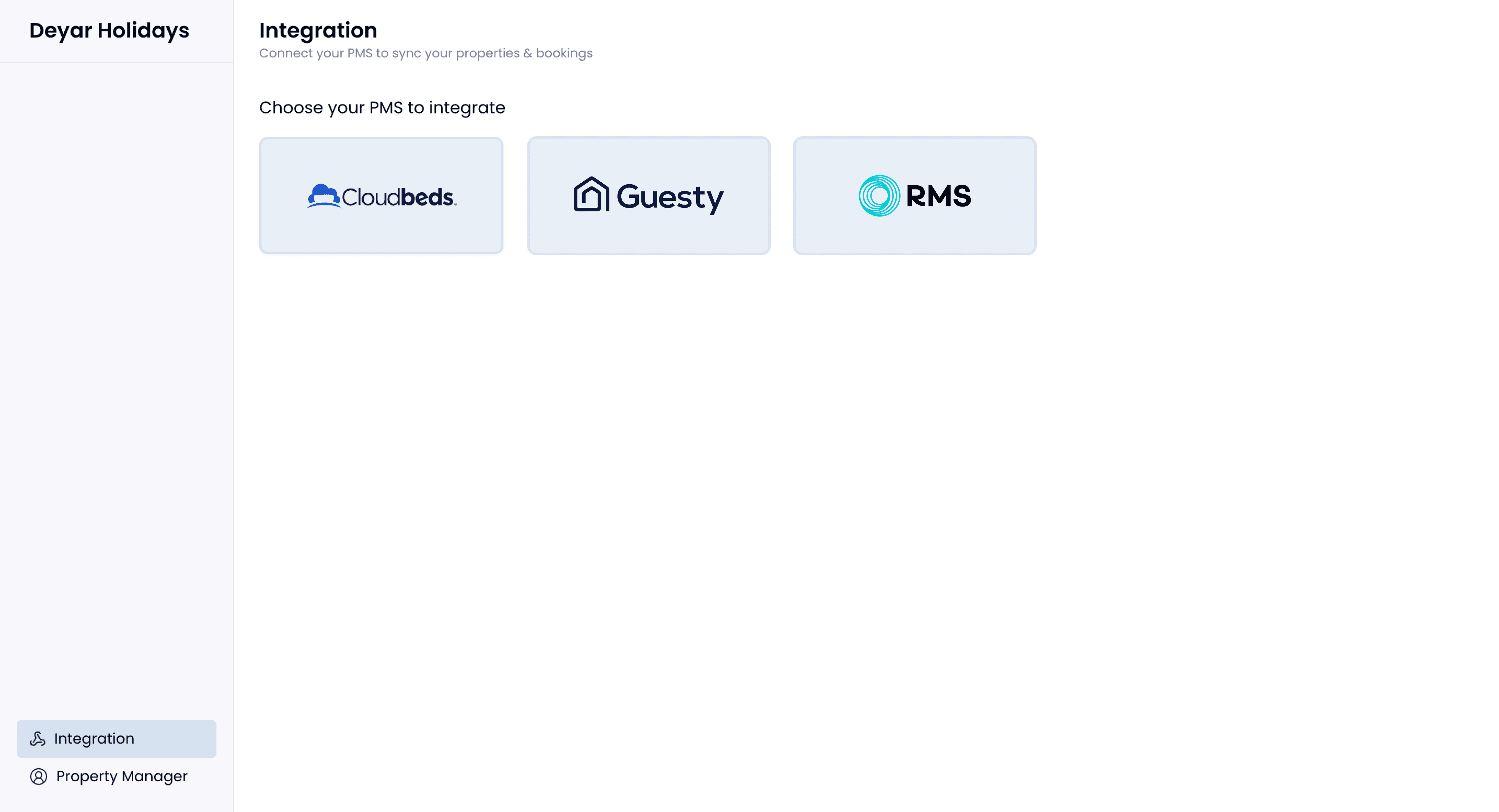
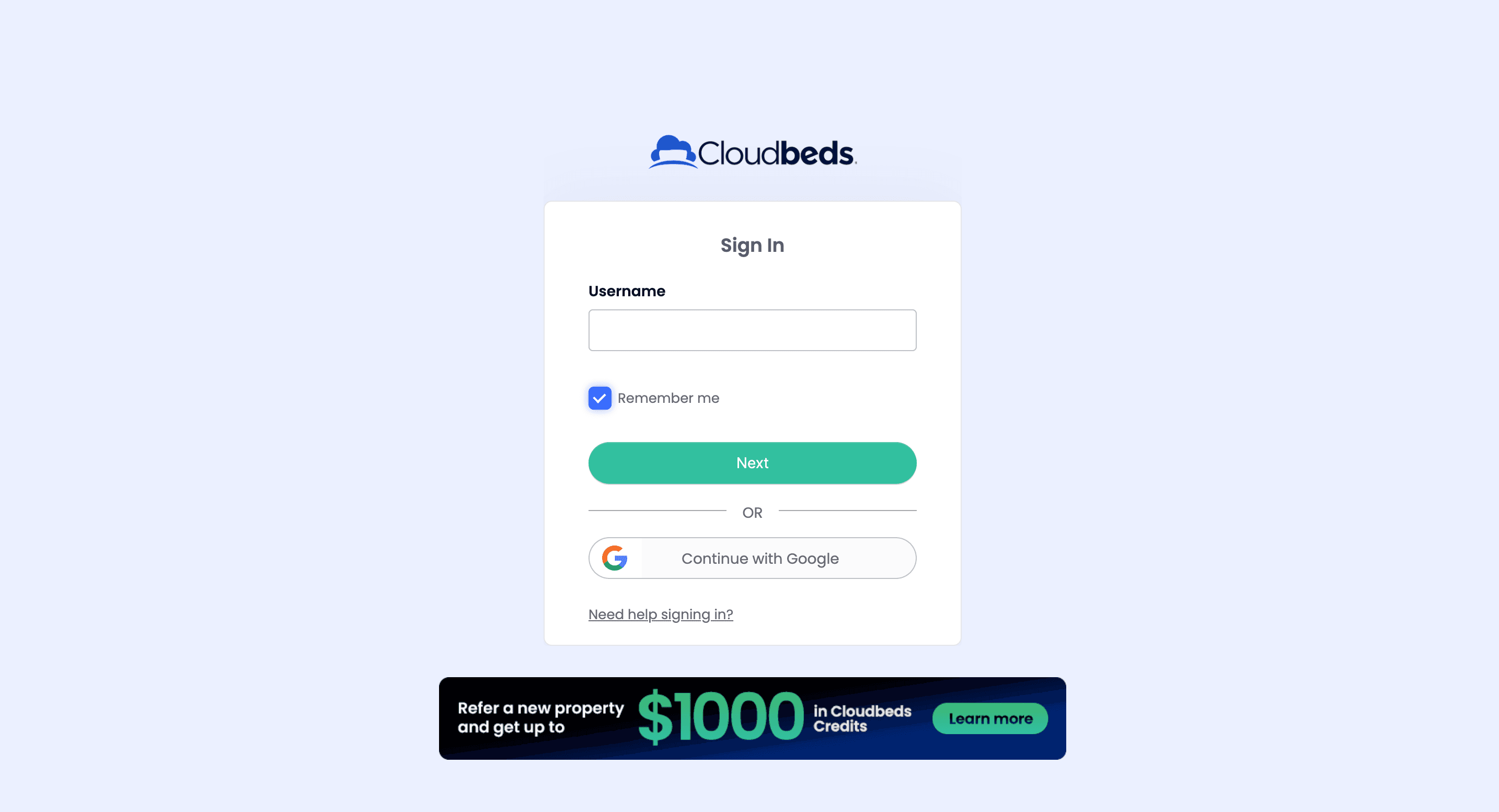
3. Select cloudbeds. Click on connect & you will be taken to the cloudbeds sign in portal.
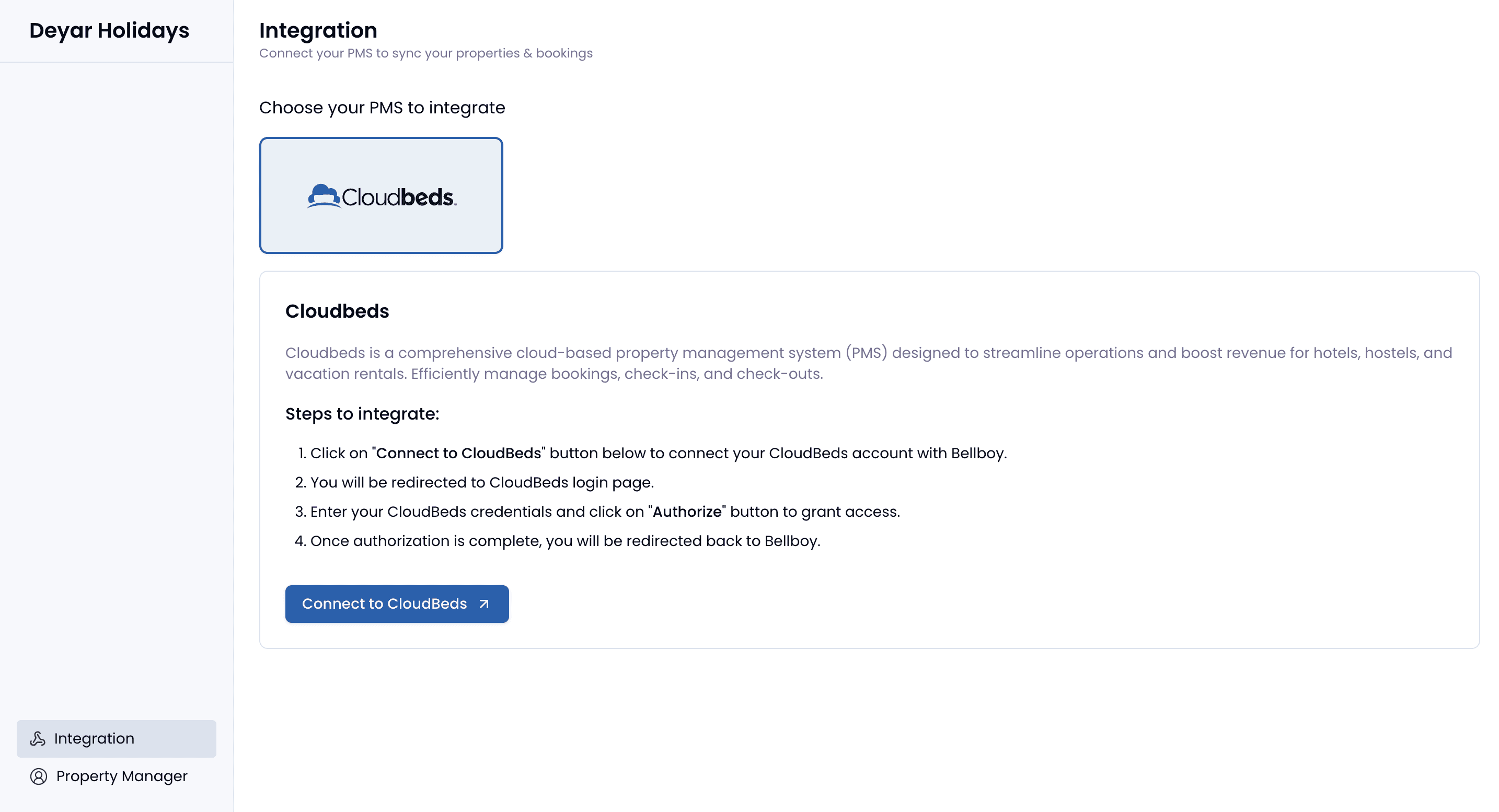
4. Enter your credentials - make sure you have a user type of admin or owner
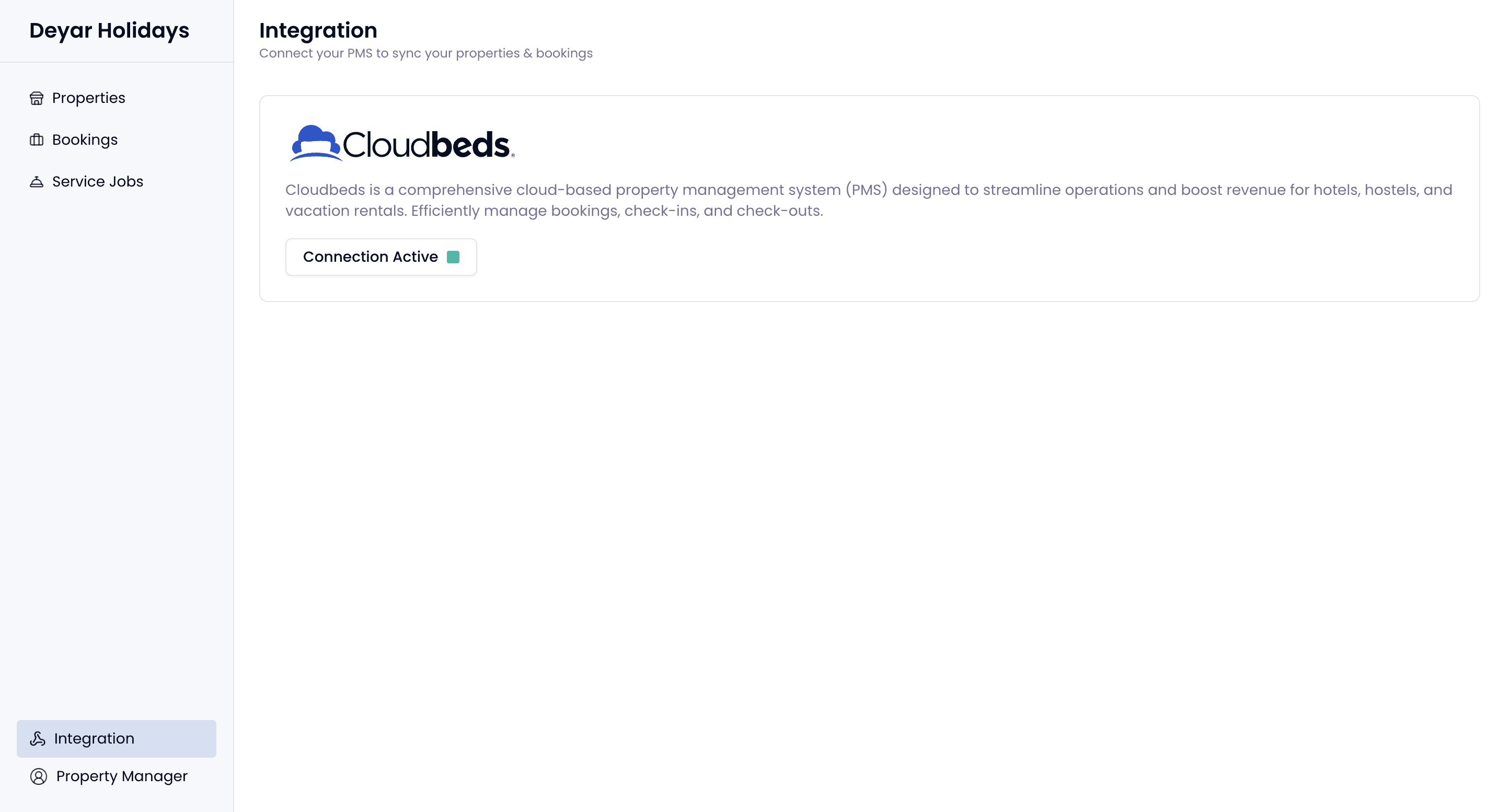
6. Integration is active. Check the property & bookings data by clicking on the tabs on the left
Book a free consultation call

Our hospitality experts will understand your challenges and help you with the best solution + plan.

Book a demo

Build My Site

Book a free consultation call

Our hospitality experts will understand your challenges and help you with the best solution + plan.

Book a demo

Build My Site

Book a free consultation call

Our hospitality experts will understand your challenges and help you with the best solution + plan.

Book a demo

Build My Site

bellboy helps hotels convert missed calls into revenue through AI employees that transform guest communication into intelligent, automated, and revenue-driving operations.